Free Construction Budget Template and Job Cost Tracker
Know what the job is going to make before it's over, not after. Track budget against actual cost on every line, see where you're over, and watch your contingency as the job runs.
Download free: Excel file · No email needed.
Missing a line item you always track? Email support@danoriapp.com.
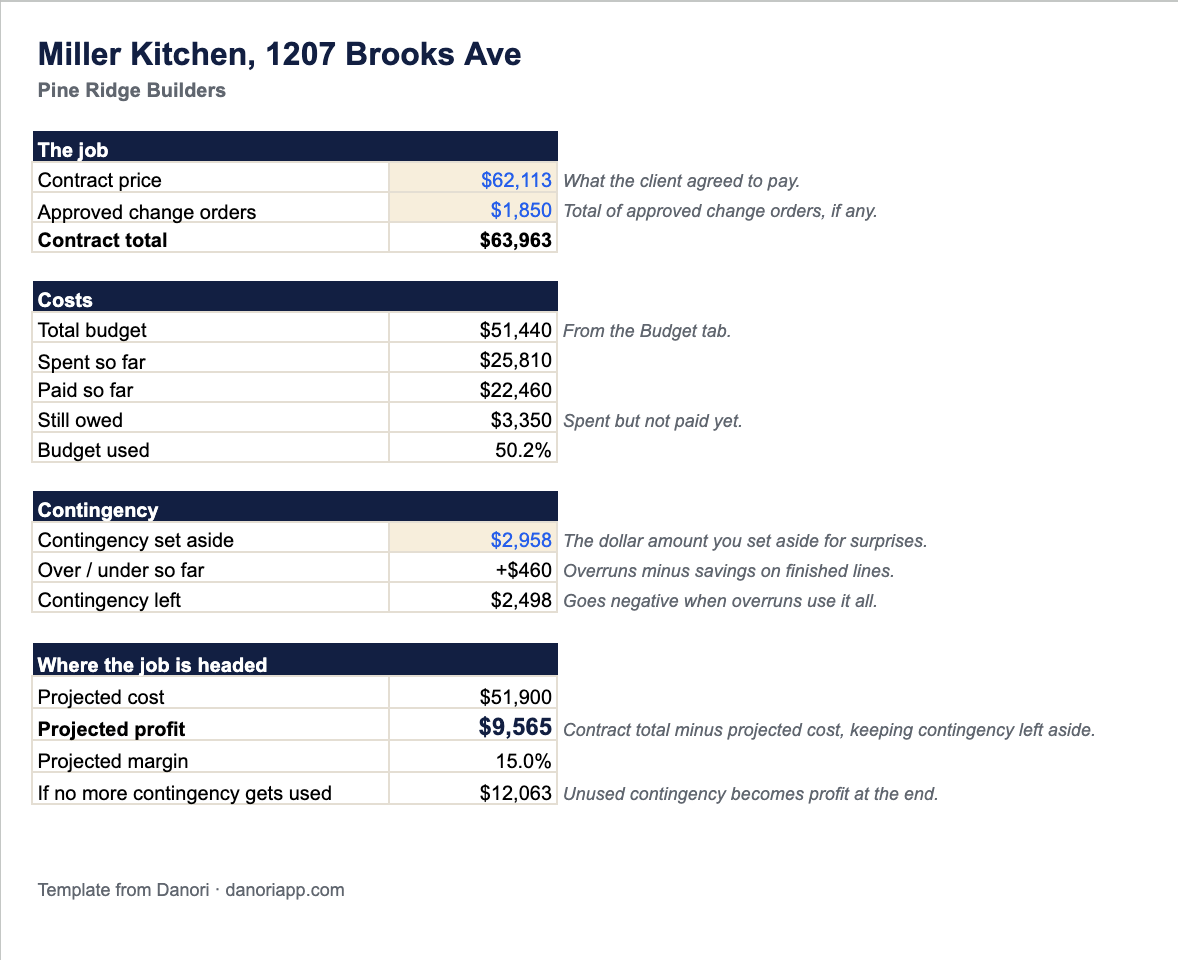
What's in it
- Budget: 23 line items from demo to final clean, grouped by phase. Type your budget, what each line has cost so far, and what you've paid.
- Over or under on every line: red when a line runs over, green when it comes in under.
- Still owed: what you've been billed but haven't paid yet.
- Contingency left: see how much is left as overruns come in.
- Projected profit: what the job is on track to make right now, not just what you planned.
- Change orders: add approved change orders to the contract total.
How to use it
- Type your budget for each line. If you priced the job with an estimate, copy your costs from it.
- As bills come in, type what each line has cost so far and what you've paid.
- When a line is finished, mark it Done.
- On the Summary tab, type the contract price, any approved change orders, and your contingency. For a change order, add its cost as a new line on the Budget tab too.
- Check the Summary as the job runs.
How the projected profit works
Most budgets only tell you how a job went once it's over. This one tells you where it's headed while there's still time to do something about it.
- A finished line counts at what it actually cost.
- A line still in progress counts at its budget, or at what it's already cost if that's higher.
So an overrun shows up in your profit the day you type it in. A line that looks under budget doesn't count as savings until it's done, because the last bill hasn't come in yet.
Contingency you haven't used is kept aside, not counted as profit. If it's still there at the end, it becomes profit then.
Where Danori fits
A spreadsheet only knows what you remember to type into it. When you're running the job from your truck, the tracker falls behind, and the numbers you check are from last week.
Danori is an iPhone app for builders running jobs on their own. It keeps your estimates, schedule, subs, and job costs in one place. When the client approves an estimate, the costs carry straight into the job. Every job shows how much contingency is left and what the job is on track to make, right on your phone.
Try Danori free for 30 days, no card to start.